
TPG Telecom Outage Report in Mudgee, Mid-Western Regional, State of New South Wales
No problems detected
If you are having issues, please submit a report below.
TPG Telecom offers broadband internet, phone, mobile phone and mobile internet service to the public and businesses. Mobile phone service is offered on the Optus mobile network.
 Full Outage Map
 E-mail
Problems in the last 24 hours in Mudgee, State of New South Wales
The chart below shows the number of TPG Telecom reports we have received in the last 24 hours from users in Mudgee and surrounding areas. An outage is declared when the number of reports exceeds the baseline, represented by the red line.
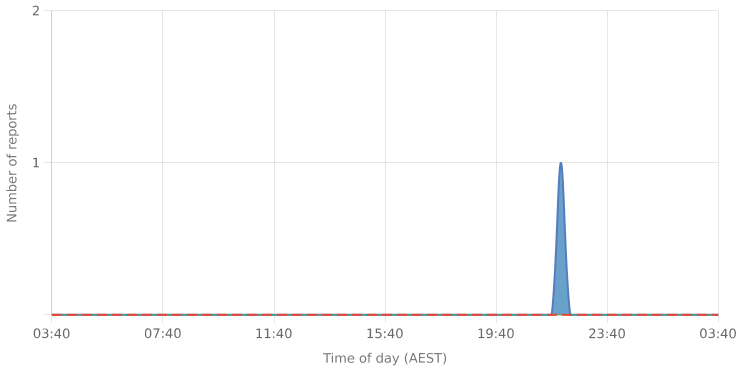
At the moment, we haven't detected any problems at TPG Telecom. Are you experiencing issues or an outage? Leave a message in the comments section!
Most Reported Problems
The following are the most recent problems reported by TPG Telecom users through our website.
-

Internet (83%)
-

Total Blackout (5%)
-
Wi-fi (5%)
-
Phone (5%)
-

E-mail (2%)
-
TV (2%)
Community Discussion
Tips? Frustrations? Share them here. Useful comments include a description of the problem, city and postal code.
Beware of "support numbers" or "recovery" accounts that might be posted below. Make sure to report and downvote those comments. Avoid posting your personal information.
TPG Telecom Issues Reports
Latest outage, problems and issue reports in social media:
-
 DavidW2035
(@DavidW2035) reported
DavidW2035
(@DavidW2035) reported
@TPG_Telecom So can you confirm if 2035 was experiencing very slow speeds last night and this morning?
-
 Prue
(@menagerstoo) reported
Prue
(@menagerstoo) reported
@TPG_Telecom I got help on Twitter last night after no response from your company! Pretty bad. You should have put out a public statement very shortly after 8pm when it was obvious there were loads of affected people.
-
 Sonali Sahay
(@Sahaysonali) reported
Sonali Sahay
(@Sahaysonali) reported
@TPG_Telecom utter shame! Home schooling,work from home, and your customer service is not taking any call.. Why you leave us in the dark.. pick up th phone and tell us what is goin on?
-
 Max Phillips
(@_MaxPhillips) reported
Max Phillips
(@_MaxPhillips) reported
@TPG_Telecom My internet still sucks. Two kids trying to home school, two adults trying to work from home. When will we have proper internet?
-
 axew
(@axew37126780) reported
axew
(@axew37126780) reported
@TPG_Telecom is there still issues? I have already reset my modem and there is still no internet
-
 Morp Morpie
(@MorpMorpie) reported
Morp Morpie
(@MorpMorpie) reported
@VikashTripathiG @TPG_Telecom @TPG_Telecom Did you have problems in some North Eastern Adelaide suburbs last night??
-
 Viraj Leanage
(@VirajLeanage) reported
Viraj Leanage
(@VirajLeanage) reported
@TPG_Telecom @bsgoddaro Nope still not working
-
 Deanna Shim
(@deshim1) reported
Deanna Shim
(@deshim1) reported
@TPG_Telecom please please can I speak to someone . Rebooting the modem is not working !!! The issue isn’t fixed . Please help
-
 Jaiden Dullaway
(@Jaiden_dullaway) reported
Jaiden Dullaway
(@Jaiden_dullaway) reported
please fix this asapppp @TPG_Telecom
-
 Ryan
(@Celtic334) reported
Ryan
(@Celtic334) reported
@TPG_Telecom If the issue on your end has reconfigured hardware etc. then that is still your issue if the initial issue has been sorted or not. What a waste of a day, I’ve ended up watching the Block for goodness sake